Advanced Office Password Recovery

Advanced Office Password Recovery
License:
Trial version
Language:
English
Developer:
OS:
Win98/Me/NT/XP/2003/Vista/7
Updated:
See detailed info

Softonic review

“Recover all your forgotten passwords”

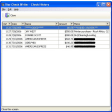
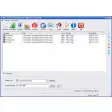
Advanced Office Password Recovery (AOPR) is a program to recover the lost or forgotten passwords to the files/documents created in Microsoft Office applications (all versions up to Office 2003): Word, Excel, Access (including user-level passwords and owner info), Outlook, Project, Money, PowerPoint, Visio, Publisher, OneNote, Backup, Schedule+, Mail.


It can also reset MS Internet Explorer (3/4/5) Content Advisor password, and open password-protected VBA projects (created in any application) via the "backdoor". Most passwords are being recovered instantly; the "password to open" in Word/Excel 97/2000/XP/2003 can be recovered using "brute-force" and dictionary attacks, effectively optimized for speed.


There are three editions of AOPR:


Home


Home edition can recover passwords to Microsoft Word and Excel documents only (all but VBA Project passwords).


Standard


Standard edition is also able to recover/remove Word and Excel VBA Project passwords, can unlock protected Excel add-ins (XLA), recover "password to open" to Access MDB files, and supports all Outlook passwords.


Professional


Professional edition is the most complete solution that recover all passwords for all Microsoft Office components and a few other Microsoft products, including Access user-level passwords and ownership information, Microsoft Project, PowerPoint, OneNote, Money and much more.

Download Advanced Office Password Recovery 4.15

Advanced Office Password Recovery is virus free

We have analyzed the latest version of Advanced Office Password Recovery with 30 antivirus engines and it is virus free. See analysis results.

TESTED VIRUS FREE - Softonic GUARANTEED

Review and rate Advanced Office Password Recovery

Your avatar

Your opinion is important.
Help other users - be the first to review this program.

Review
  1. Maximum: 75 characters

  2. See example

Pros and Cons
Rate
  1. What rating would you give Advanced Office Password Recovery?

    You need to fill in all fields

    • Usability:

      Not rated
    • Stability:

      Not rated
    • Installation:

      Not rated
    • Functionality:

      Not rated
    • Appearance:

      Not rated
    • Overall rating:

      Not rated
  2. Don't worry, we won't make your email address public.

You're not allowed to share serial numbers, cracks, etc. or link to pages that contain them. If you do, your user account will be deleted, your IP address logged and legal action will be taken.

Get started - just ask a question!

Write a title for your question.

Alternativesto Advanced Office Password Recovery

  • In English:
    XLS Viewer
    XLS Viewer

    View, edit and print XLS (Excel) files without having Office installed

    Softonic rating:
    • 7/10
    User rating:
    • 1/10
  • Free:
    OffiSync
    OffiSync

    Use Google Docs in Microsoft Office

    Softonic rating:
    • 8/10
    User rating:
    • 8/10
Compare with Advanced Office Password Recovery

Screenshots from Advanced Office Password Recovery

Download rank: Utilities

9 of 43

Softonic rating:
  • Not bad
  • 6/10
User rating: (2 ratings)
  • Not bad
  • 6/10
Your rating:
Your rating
  • 0

Review and rate this program

Blog posts about Advanced Office Password Recovery

More

Top Downloads: Utilities

  • United States
  • Global

  1. Free Microsoft Word document viewer

Reviews of Advanced Office Password Recovery in other languages